
I was reading when two men posing as delivery drivers tried to bust into a coin shop in Clayfield, Queensland, with hammers last month. They hit the owner with a hammer, and the 68-year-old owner, Andrew, was quickly fighting for his life. Check the video. He barely managed to push them out. Then he grabbed a machete to defend himself. He was lucky his neighbours heard the commotion and rushed over to help. When the offenders saw the neighbours, they fled.
Unfortunately, many shop owners will not get that chance. There were 800,000 retail crime incidents in 2025. Violent events jumped 66% year-on-year.
Now, What If No One Heard You?
Thieves look for when you are most vulnerable. They will try to ensure no one is close enough to hear them. For many shop staff, that's the real risk. With retail crime involving weapons up 66% in 2025, say they are working late when someone suddenly threatens them, shouting may not bring help quickly enough.
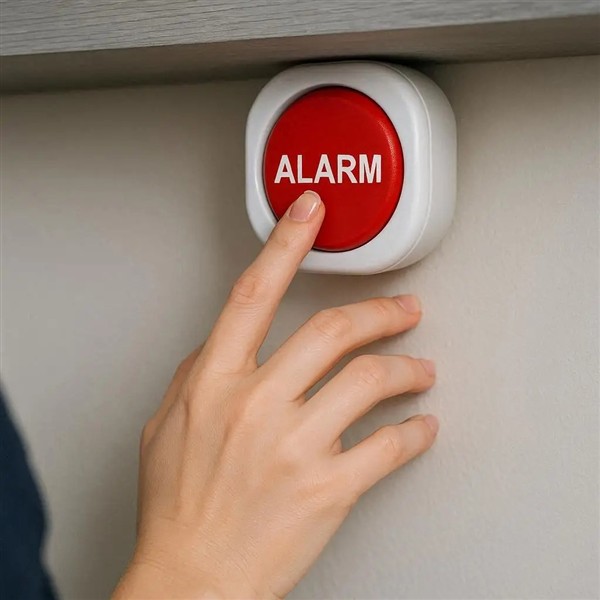
You need a way to call for help. Most phones have emergency buttons. They are, in practice, cumbersome to use. You have to reach for the phone, find the right spot, and send an alarm. For this reason, few set it up.
The "Better Than Nothing" Reality Check
Let’s be honest: a dedicated, professionally monitored, hidden silent alarm from a security company is the gold standard. If you have the budget for a 24/7 security team watching your back, stick with it. It is the best protection money can buy.
But for many independent shops, that ongoing expense is hard to justify. Does that mean you should go unprotected? Absolutely not.
This is where your POS System panic button fits in. It is infinitely better than being isolated with no way to signal for help. It bridges the gap, ensuring that even without a security contract, you are never truly facing a threat alone.
Don't Have Emergency Protection Yet?
Setting up an emergency alert button in our POS software is easy. Once set up, it sits in the cash register and sends instant SMS or email alerts to your nominated contacts when activated.
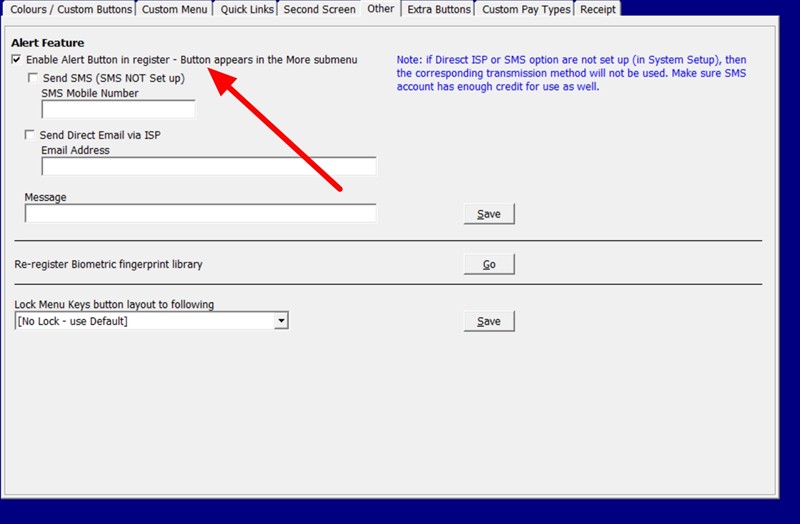
Using a Retail Panic Button Inside Your POS System Offers Distinct Advantages
- It’s Discreet: Most of the time people are in front of the POS System, they quick press a button and its sent.
- It’s Always There: You can't lose it, and it never runs out of batteries. As long as your POS system is on, your protection is active.
- Faster Response: In a confrontation, every second feels like a minute. Because you are already facing the screen, you can trigger the alert instantly without moving your feet.
How Retail Emergency Alert Systems Work in Your POS
Here is how our POS-integrated feature works in practice:
- The Trigger: On your POS sales screen, there is a dedicated, discreet button.
- The Silent Action: When you press the button, the screen does not flash or make a noise. To the customer (or the thief), it looks like nothing happened. However, in the background, the system immediately sends a digital "duress" signal via your internet connection.
- The Response: Your nominated contacts, such as the business owner, a manager, or neighbouring shop, receive an instant notification (via SMS or email) that the duress alarm at "Register 1" has been activated. They can then call 000 or come to check on you.
Practical Tips for POS Safety
To get the most from your panic button for small business safety, follow these simple tips:
- Staff Training: Train your staff to know where the button is on the screen. Make sure they know when to use it.
- Network Checks: You need a decent internet connection to make it work.
- Test the system regularly: Run a test alert regularly to make sure it works.
These simple steps ensure your system works when it matters.
Written by:

Bernard Zimmermann is the founding director of POS Solutions, a leading point-of-sale system company with 45 years of industry experience, now retired and seeking new opportunities. He consults with various organisations, from small businesses to large retailers and government institutions. Bernard is passionate about helping companies optimise their operations through innovative POS technology and enabling seamless customer experiences through effective software solutions.