Everyone says to "get more customers," good advice. This is both time-consuming and costly. A faster way is to increase profits by selling more to existing customers, increasing the basket size.
Why Basket Size
The retail basket size is a well-known KPI that measures the average number of items a customer buys in a single visit.
Get 1 in 10 customers to add an extra $5 item to their basket, and your bottom line grows immediately.
The Psychology of the "Second Item"
Getting the first sale is hard work; you have to win their trust. But the second item? That's pure psychology. Remember, it's often not just them, as often people come as families, and the first item and the second item are usually an impulsive buy by another person in that family, a treat for a child.
1. Turn "Service Anchors" into Sales
A Service Anchor is anything that brings people into your shop purely for a task. This includes:
- Lottery tickets.
- Parcel collection and returns.
- Public transport
- Bill payments.
While these services drive foot traffic, they often yield low direct margins. Your goal is to convert this 'few-second' service interaction into a retail sale. Check your POS Companion reports to see which anchors currently convert best, then optimise the others.
The Strategy:
Still, if these customers walk in, do their task, and then walk out, you do not want them to walk out.
- Line the queue: Place high-margin, impulsive items right where they wait.
- Interrupt the path: If they are coming for a parcel, they are likely in a rush. Place a "Gift of the Week" display near the collection point so they can solve a future problem (like a birthday gift) right now.
Pro Tip: Never hide your impulse items. If a customer is waiting for a lottery ticket, they have 30 seconds of idle time. Give them something interesting to look at—and buy.
2. Master the Art of Companion Selling
What helps is to identify products that naturally go together. In retail, we call this Cross-Merchandising.
You need items that sell with other products. What you will see are these products in your companion reports. Consider these recommendations.
Navigate to Sales-Register > Dissection Companion Sales by Period in your POS software.
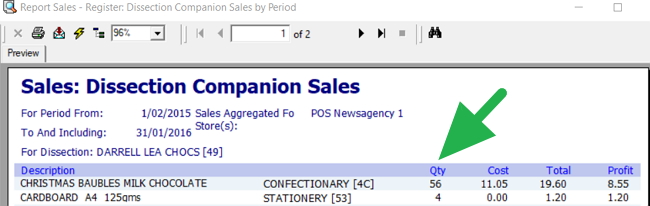
Try looking for the items that sell more than other products. You should ensure that these items are prominently displayed. To maximise sales, major retailers often display these items across many locations under different categories. For example, a Christmas Card can be shown in the Card department and the Christmas section.
Finding these Companion items
In your POS software
Go to Sales-Register > Dissection Companion Sales by Period.
Look for items that sell well with other departments. It is beneficial because it can help you select a product to display prominently near a department. This is a well-known method of increasing incremental sales that all majors use.
You take items that sell well with that department and place them in that department's area. There is nothing wrong with a good seller having a few spots in the shop.
Also, moving products by type rather than supplier, e.g. moving some of the chocolates other businesses produce closer to Darrel Lea Chocolates, could result in many more sales. Darrel Lea might not like that, but...
As you can see here by the green arrow, the books should be close to the stationery.
Now, if you've found these things, you should look at the following:
The Reader's Bundle
Don't just shelve books. Try other products near the book. You aren't selling a book. What about some bookmarks?
The Gift Station
This idea works well. Often, people buy items as gifts; if so, they need a birthday card, maybe some gift wrap, or a small gift bag. Put these items on a stand.
How to find your companions:
You don't have to guess. Your POS system holds the answer.
Run a "Companion Sales report" in your software. This will tell you exactly which items are frequently sold together.
- Example: If your data shows that 30% of people who buy a children's magazine also buy a packet of stickers, move those stickers right next to the children's magazine rack.
Once you have the right products next to each other, the next challenge is keeping the customer in the store long enough to notice them.
3. Create "Dwell Time"
You must compete on discovery.
The longer a customer spends in your store (Dwell Time), the more they are likely to buy. Studies show that a 1% increase in dwell time can drive a 1.3% rise in sales. You want to create a "sanctuary" where they can slow down.
Create Browsing Zones
Ensure your book or gift section has wider aisles.
Lighting Matters
Brighter lights work for transaction counters, but in the shop, softer lighting encourages browsing.
Curate, Don't Clutter
Too much stock can be overwhelming. Research indicates that reducing assortment clutter by 15% can actually increase basket size by up to 23% by making decisions easier for the customer.
4. Use "Speed Bumps" in Your Shop Design
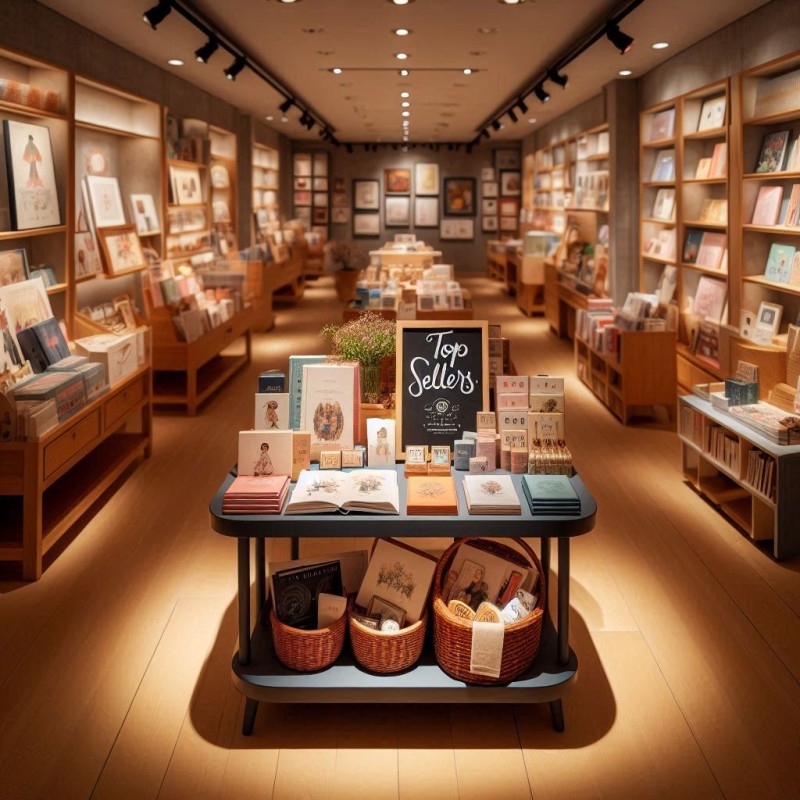
If your store layout is too "clean," customers might walk straight to the counter without looking left or right.
You need Visual Interruptions, which we call speed bumps.
These are small displays or tables placed in the middle of a walkway that force the customer to slow down and walk around them.
- Use a "Staff Favourites" table.
- Use a "Top Sellers" table
- Highlight a "New Arrival" product.
- Showcase a seasonal bundle (e.g., Back to School or Mother's Day).
By physically slowing their walk, you reset their attention and give them a chance to see something they didn't know they wanted.
5. The Power of Bundling
In 2026, customers love a deal but also value convenience. Bundling solves both.
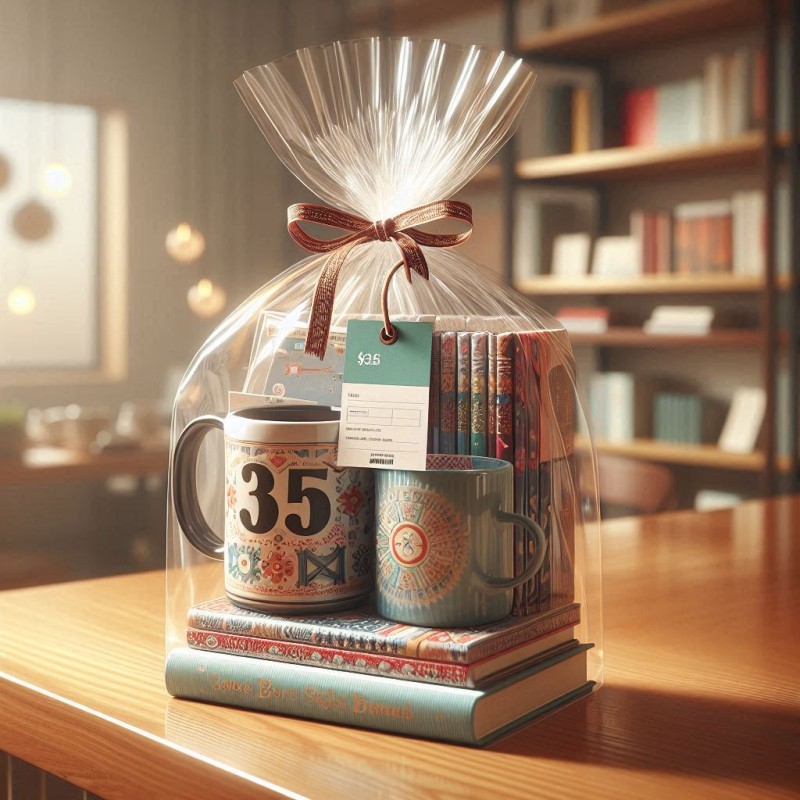
Product bundling is when you group related items and sell them as a single unit, often with a slight discount or just for the convenience of "grabbing and going."
- The "Ready-to-Give" Bundle: A mug, a packet of tea, and a gift bag wrapped together.
- The "School Starter" Pack: Essential stationery items pre-packed in a pencil case.
This automatically increases the basket size because the customer is buying three items instead of one. It feels like a better value to them, and it moves more stock for you.
6. Train Your Team on the "Helpful Ask"
Your staff are the final line of defence for basket size.
Many are afraid of being pushy. You need to teach them that suggesting an add-on is actually good customer service, particularly if you can show product knowledge, e.g., "People tell me you need a good battery with that toy; I suggest you consider ...".
Simple scripts to try:
- "Did you manage to find a card to go with this gift?"
- "We have a special on [Item X] today, it's half price"
- "Have you seen our new local chocolates? These are really nice."
A handy rule I find here is to ask people why they bought the product and what they thought of it; often, that will give you something to discuss.
7. Measure, Rinse, Repeat
You cannot improve what you don't measure.
Modern point-of-sale systems are powerful tools. They are not just for ringing up sales; they are for analysing them.
Navigate to End of Day > Reporting > Average Basket Size by Hour.
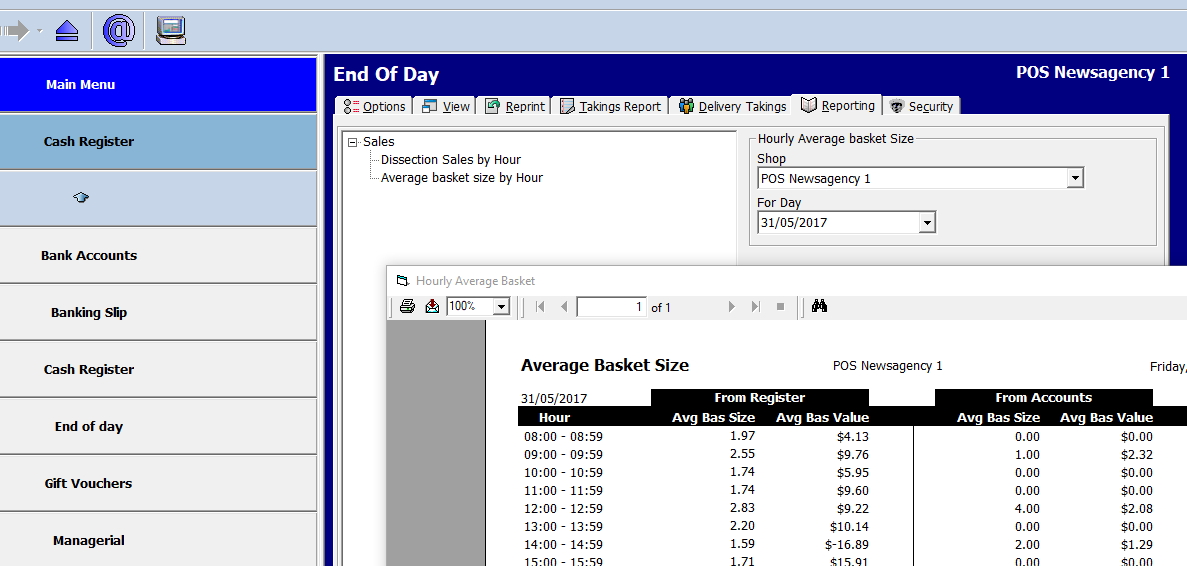
Then enter a date to see how the size of a retail basket changes throughout the day at your store. The time can be significant. Find out why?
We've broken it down by account and retail sales. Generally, we observe larger basket sizes in account sales.
Make it a habit to check your numbers weekly.
Conclusion: Start Small, Win Big
Pick ONE of these strategies to test this week. Check your POS report in a week; if it worked, keep it. Consider the next.
Written by:

Bernard Zimmermann is the founding director of POS Solutions, a leading point-of-sale system company with 45 years of industry experience, now retired and seeking new opportunities. He consults with various organisations, from small businesses to large retailers and government institutions. Bernard is passionate about helping companies optimise their operations through innovative POS technology and enabling seamless customer experiences through effective software solutions.