

If you run a local shop or community business, imagine walking into your store and hearing your very own theme song playing — created in minutes and completely free. Google's Gemini app now lets you generate a theme song with a simple text prompt or even a photo, complete with lyrics and a video image. In this guide, I'll show you how to use it step by step, share ready prompt examples, and explain the rules so you can use the music in-store and on social media.
What is it and why should you care?
It's called Lyria 3, a computer-generated music creator now rolling out in the Gemini app. It quickly creates a music track and lyrics for your song.
For retailers, the value is simple: you can test small bits of branding and marketing without paying an agency or a music band. What I like is that you can make it feel local and personal.
Here's what it can produce right now:
- Text to track: You describe a genre, mood, and scenario, and it creates music and vocals.
- Photo/video to track: You upload an image or video, and Gemini matches the mood with a soundtrack. Note: I haven't had much luck with this in the current Australian release yet; I suspect it's a bit more advanced in the US version, where the documentation comes from.
- A finished file you can download to share, with cover art.
Prompt tip that actually works: Start with “create", "write", or “compose", then add genre + mood + what the song is about.
How to create music step by step
This is the easiest way I found to do it now.
What you'll need:
- A Google account, signed in.
- To be 18+.
- “Keep Activity” turned on.
- A desktop or laptop helps, because the feature is rolling out gradually on mobile and may not appear for everyone yet.
Steps (desktop):
- Go to https://gemini.google.com on your computer.
- Click Tools below the text box.
- Click Create music.
- (Optional) Upload an image or video for extra context. This may not work yet; it's in the documentation, but it didn't for me.
- Type a prompt to generate your 30-second track.
- Download it using the buttons on the track card.
Example prompts you can copy:
“Create an upbeat folk song for a friendly local newsagency: warm community feel, magazines, cards, gifts, and a cheerful chorus.”
“Create a country and western song for our local pet shop: Where Every Pet is Family.”
Ways to use it without overthinking
You don't need a “perfect” song for this to be useful. You just need something that fits the moment and gives customers a reason to smile or share.
Here are practical ways I'd use it for a typical Aussie shop:
- In-store atmosphere: Generate a light seasonal track for school holidays, Easter, or footy finals and play it quietly (where appropriate for your shop and customers).
- Social posts that stand out: A 30-second clip with a custom jingle can outperform yet another still image of “new stock has arrived", because it feels more human and unexpected.
- Local community content: Create a “welcome back to school” tune, or a short “thank you” track after a community fundraiser weekend.
A simple rule: keep it fun, short, and clearly “you".
Newsagency prompts (copy/paste)
Try these exactly as written, then tweak one detail at a time (genre, mood, instruments, or theme).
- “Compose a cinematic theme for a newsagency's new magazine wall reveal: big, uplifting, modern, catchy chorus.”
- “Create a rock ’n’ roll hype track for back-to-school stationery: energetic, family-friendly, fun hook.”
- “Write a warm country song about a friendly local newsagency full of cards, gifts, and books: storytelling style, gentle tempo.”
- “Create an upbeat pop jingle for footy finals: community vibe, quick chorus, big finish.”
- “Write a cheerful birthday song for a loyal customer who loves puzzles and books: sweet, simple lyrics, light acoustic instruments.”
A real example (and what it taught me)
I tested it by feeding it my business story: "POS Solutions company has empowered thousands of small and medium-sized retailers across Australia with reliable, industry-specific Point of Sale software and hardware. Since 1983, we've specialised in retail sectors including newsagencies, pet shops, and pharmacies, helping our clients streamline operations, boost sales, and adapt to an evolving digital landscape."
I experimented with a few different music styles before deciding on “cinematic,” as I like a bold, dramatic sound. I then told it I wanted music and a song by a powerful diva singer. After a few attempts and redos, I then changed the music styles and see what you think. Please let me know which one you liked best.


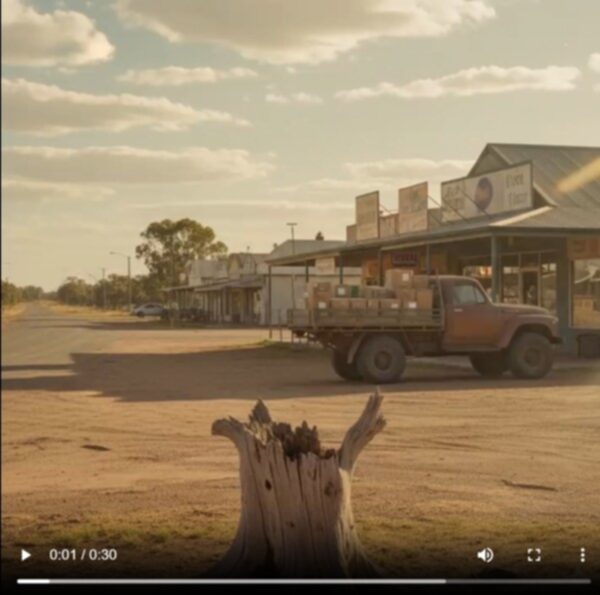

Info: If you try only one improvement: Add a single line that defines the voice you want, like “friendly, local, not salesy” or “energetic but family-friendly”.
Use your POS system data to write better prompts
Here’s the clever part: on your Point of Sale (POS) system, you already have the best content prompts sitting in your sales history. Your POS data tells you what customers actually buy, and when they buy it, so your marketing can match reality, not guesswork.
Use your POS system to spot patterns, then turn those patterns into short music ideas:
- Father's Day spike: If cards lift then, write a Father’s Day jingle and schedule it for your Facebook page.
- Christmas build-up: If gifts and books surge in December, create a “gift inspiration” song to start the momentum.
- Seasonal magazine demand: If a title sells strongly during footy season, generate a short “finals time” track and post it with the display.
This is the practical link between back-of-house operations and front-of-shop marketing: your POS system tells you what to promote.
Commercial use
For casual in-store use or social posts, you’re generally in low-risk territory — just follow Google’s Terms and policies. Google says the music generation is “designed for original expression” with filters that check outputs against existing content.
Two practical points matter most:
- SynthID watermark: Google embeds an imperceptible digital watermark in tracks to identify them as AI-generated.
- You can verify audio: Upload an audio file to Gemini and ask if it was created or edited by Google AI, and it will check for SynthID. So don't lie and say you wrote it; as people can see Google did, you can, however, say truthfully that you created and edited the idea many times and shaped much of the arrangement and music style.
Ready to try it?
If you don't see “Create Music” yet, it may still be rolling out to you, its really new.
Go to https://gemini.google.com on your computer
Click Tools → Create music,
Test a prompt with something current, revise it a few times to get something you like and post it to Facebook or Instagram.
Then see what your clients think.
Then let me know, as I am very interested in using technology to improve SMBs.
Happy music creation.
Written by:

Bernard Zimmermann is the founding director of POS Solutions, a leading point-of-sale system company with 45 years of industry experience, now retired and seeking new opportunities. He consults with various organisations, from small businesses to large retailers and government institutions. Bernard is passionate about helping companies optimise their operations through innovative POS technology and enabling seamless customer experiences through effective software solutions.